Photograph tests directly
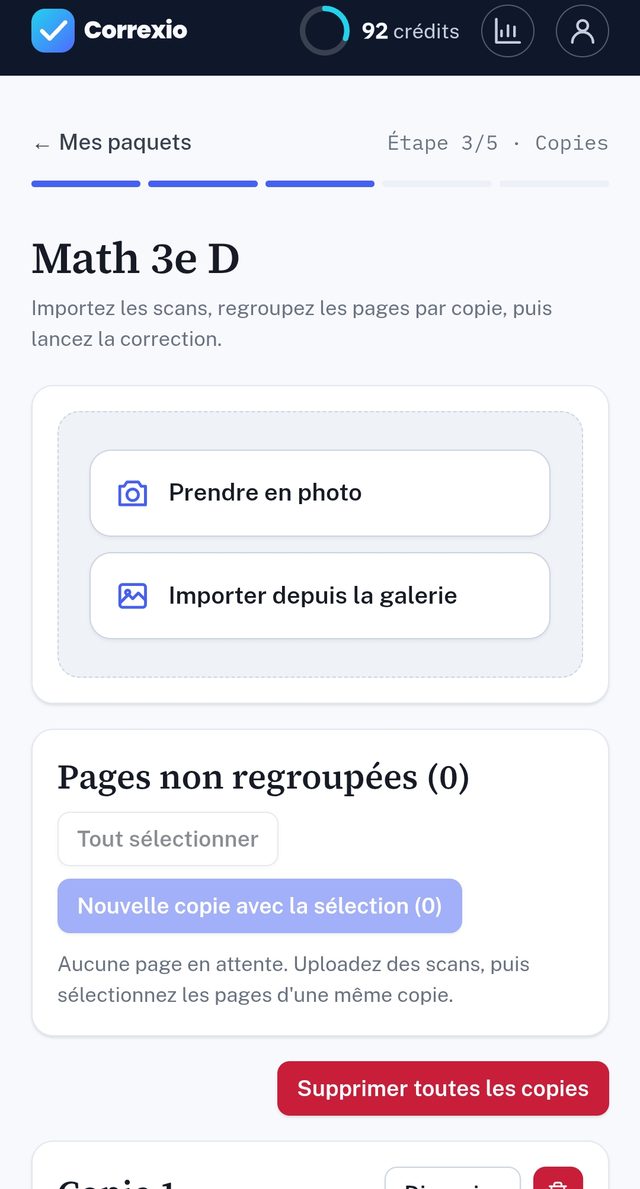
No scanner needed: your phone's camera is enough. Take a photo of each page: any taken at an angle is straightened automatically.
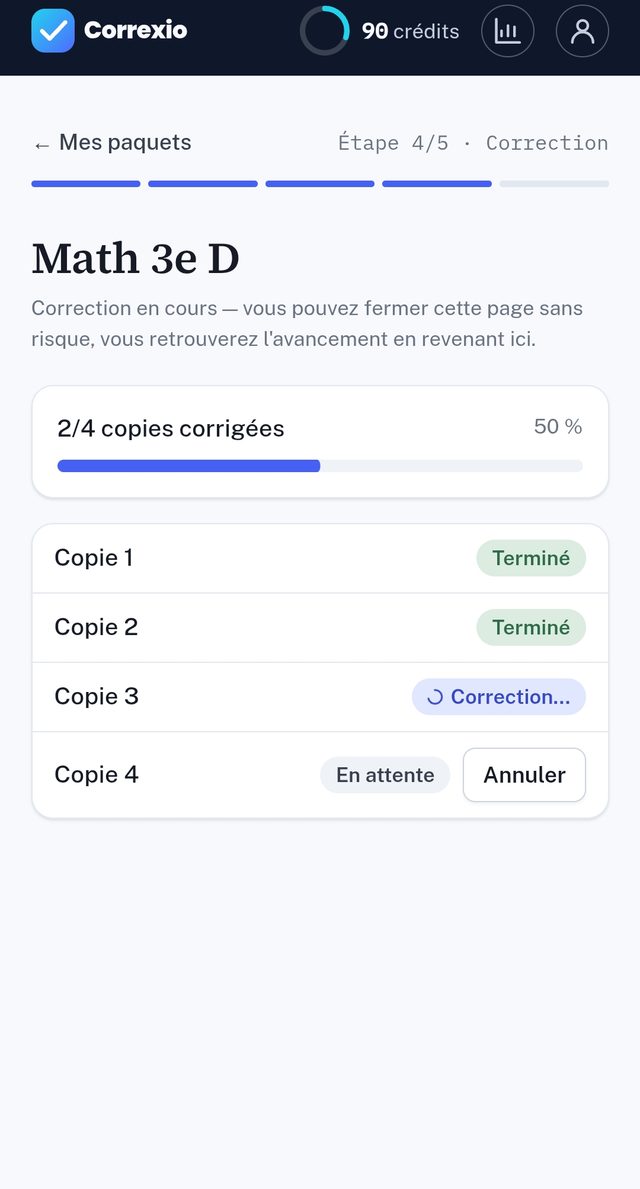
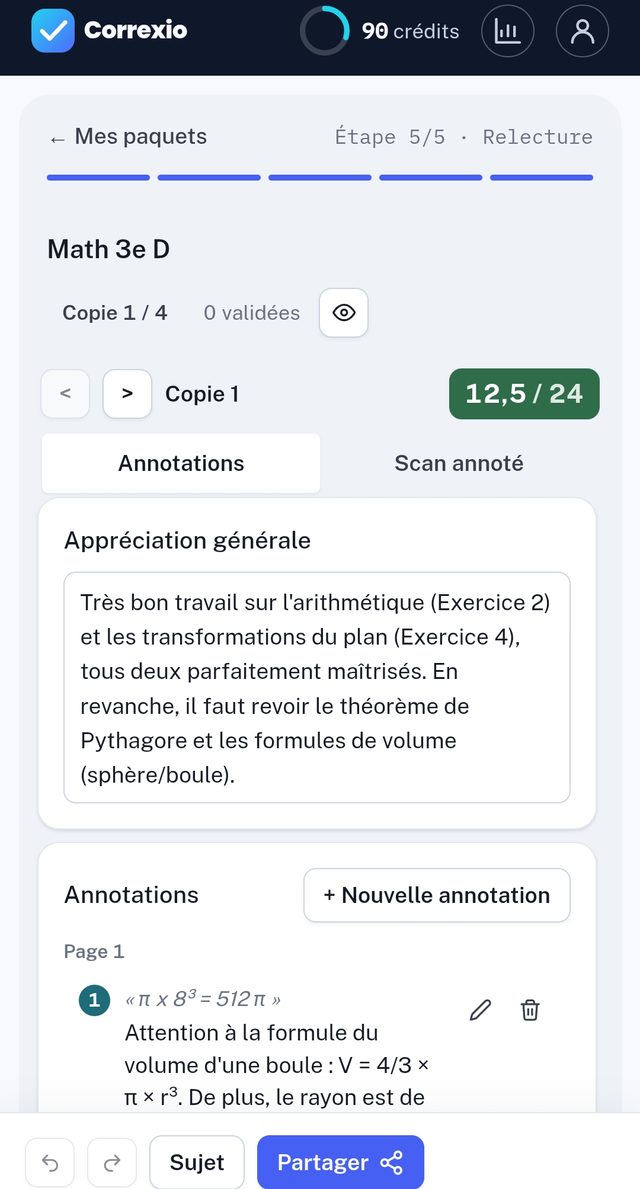
Photograph the tests, let the AI suggest a score for each question, then review and adjust from your phone. The same account as on the website.
Get it onGoogle PlayNo scanner needed: your phone's camera is enough. Take a photo of each page: any taken at an angle is straightened automatically.
Review the suggested scores and adjust a question or a comment between classes, on the train or in the staff room.
A batch started on your computer carries on on your phone, and the other way round: rubrics, papers and grades are the same everywhere.
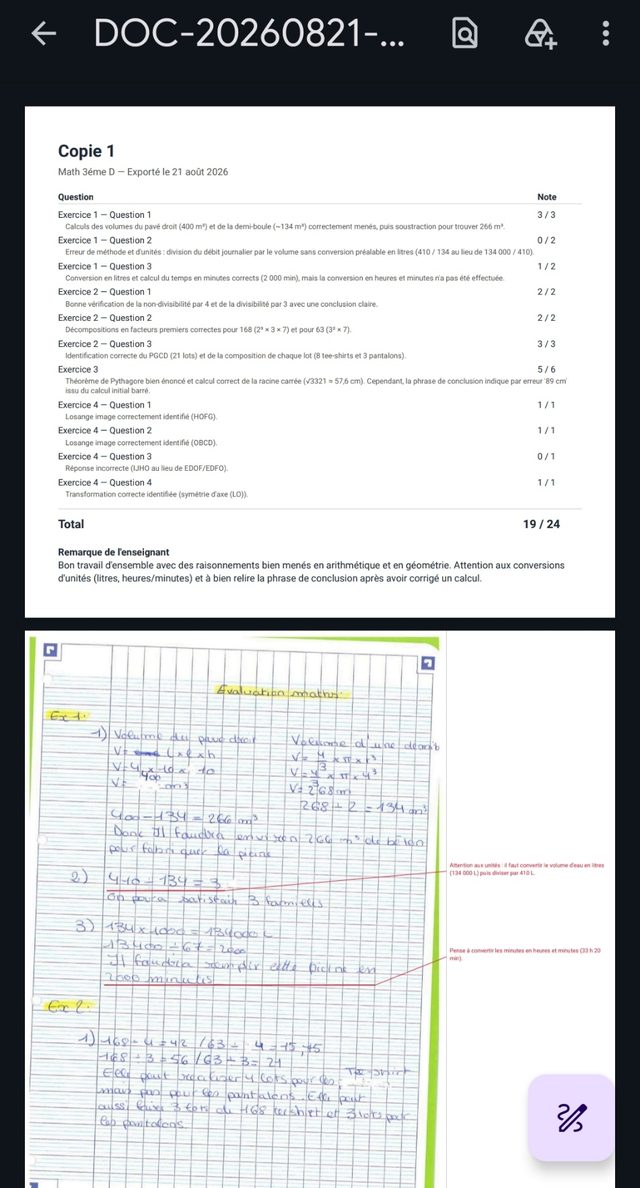
Send the annotated PDFs and the CSV grade sheet from your phone, by email, Drive or any app you like.
Yes, it is a free download on Google Play. It opens the same account as the website: the free plan grades 30 pages a month with no credit card, and paid plans include more.
You need a Correxio account, but you can create it right in the app, with your email or Google. It is the same account as on the website, so your batches show up on both.
There is no iPhone app yet. On iPhone and iPad, Correxio works in Safari with the same features, photographing tests included.
See how Correxio can simplify your day-to-day and improve how you follow your students.